All of a group’s venues in one account
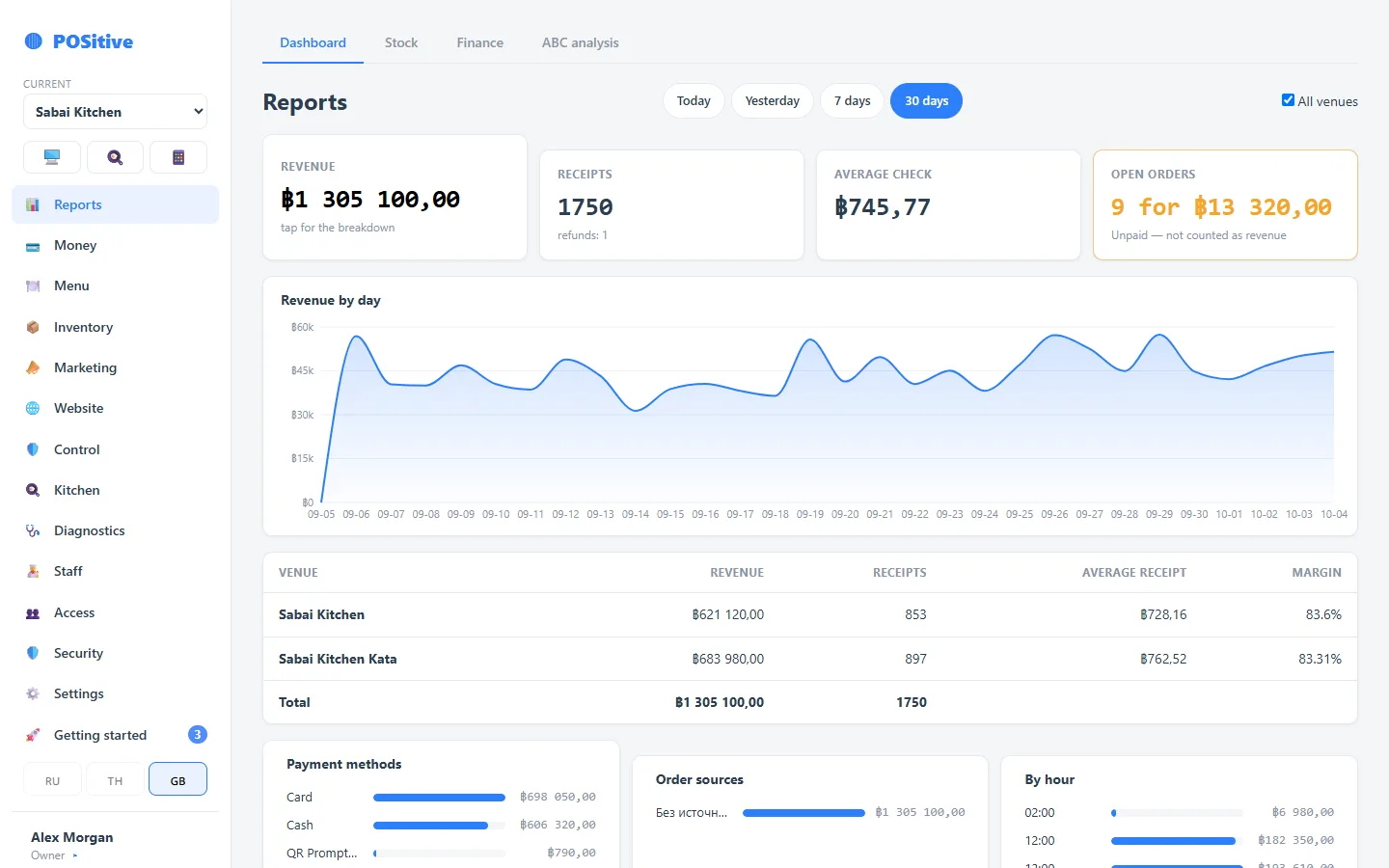
Each venue has its own menu, its own stock, its own money and its own people. The group owner sees it all together: revenue, receipts and margin for each venue — on one screen and on the phone.
- Combined report: venues as rows, the total at the bottom
- One person — one login, with a separate role and PIN in each venue
- Goods move between venues with receiving and cost
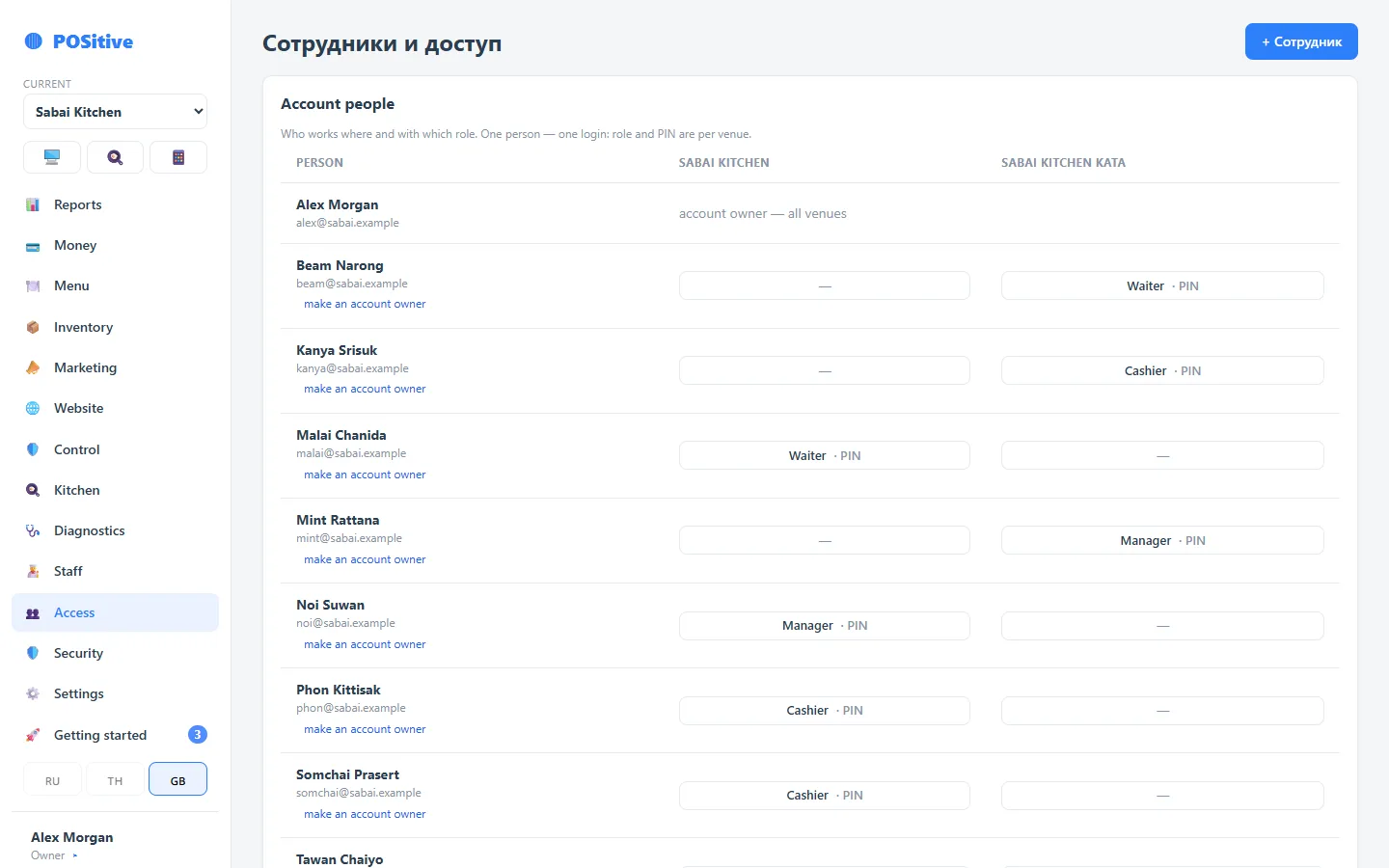
The whole group’s team on one screen
The account owner sees who works in which venues and in what role. A manager of two venues signs in once and switches between them, and a bartender who covers for a neighbour gets a role in the second venue without a second login.
- Each venue has its own roles and permissions: you can grant “view” but not “change”
- Each venue has its own register PIN
- The “group owner” flag can be given to a partner or a group manager — they will see the combined figures
- A venue employee sees only their own venue, even if they know another one’s address
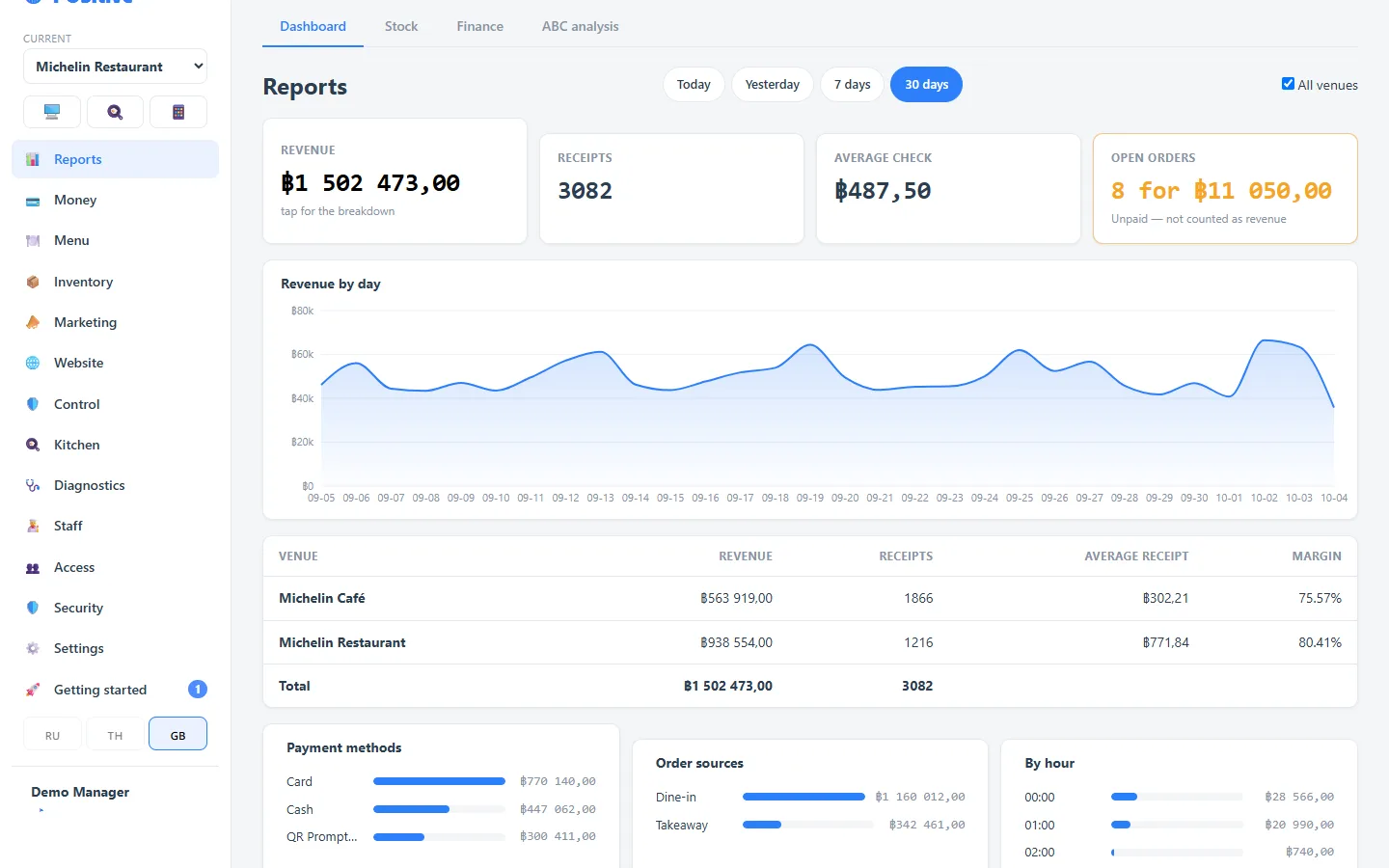
A two-venue group in the demo, no sign-up
The demo already has two venues of one group: Michelin Restaurant and Michelin Café. Switch between them at the top of the menu and open “All venues” in the reports: the venues are rows with the total at the bottom. Demo sales are always for today, and every 3 hours the demo resets to its initial state.
- In the cafe, a delivery from the restaurant kitchen is waiting to be received — press “Receive”
- The kitchen display shows orders from both venues
- The manager and the accountant work in both venues
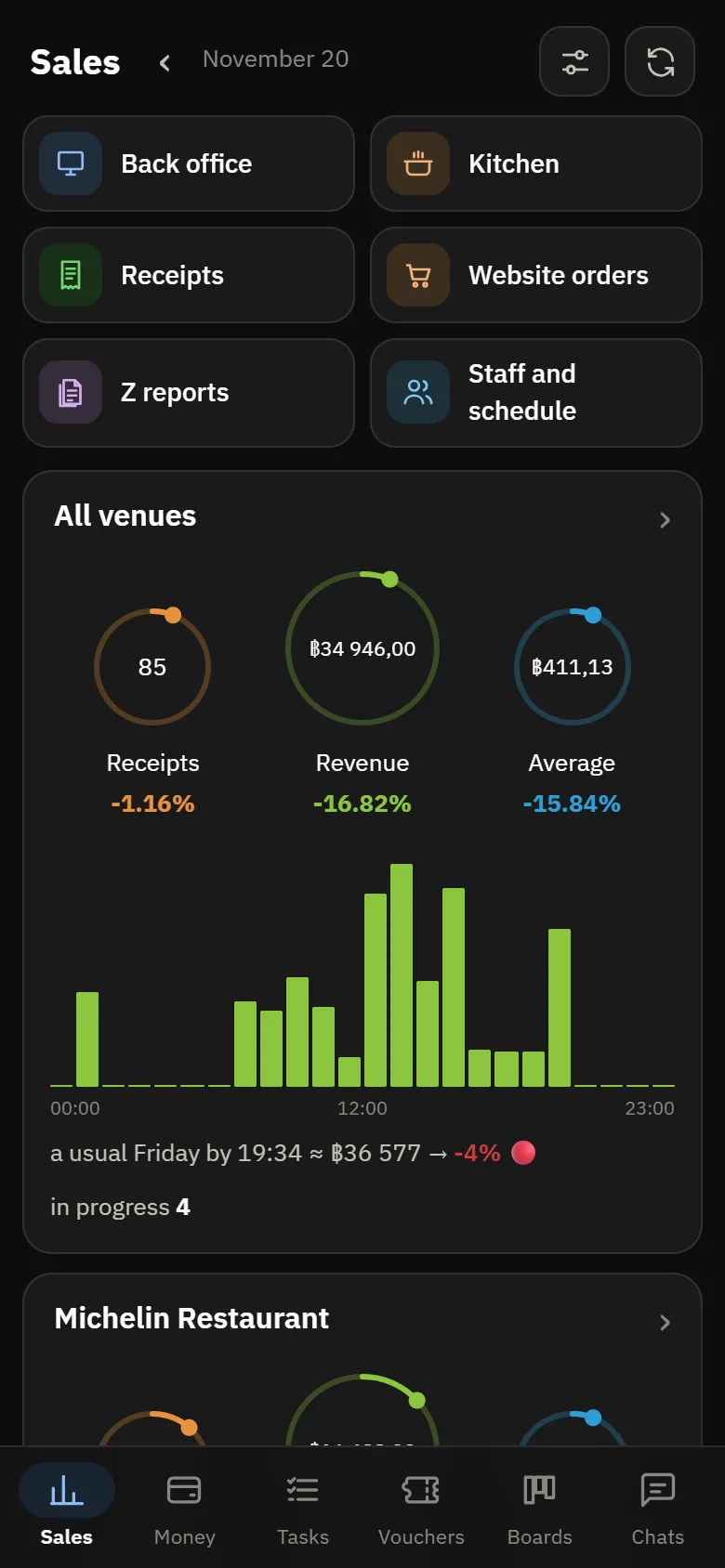
The whole group on the owner’s phone
POSik shows all venues at once and each one separately: revenue, receipts, average check, kitchen and shifts. The back office has the same view — the “All venues” report, with the venues as rows side by side.
- You can see which venue lags on average check, margin or number of receipts
- Results of every closed shift arrive in Telegram — all venues can be gathered in one chat (in Russian for now)
- Money, timesheet and shifts — across the whole group too
Transfers between venues
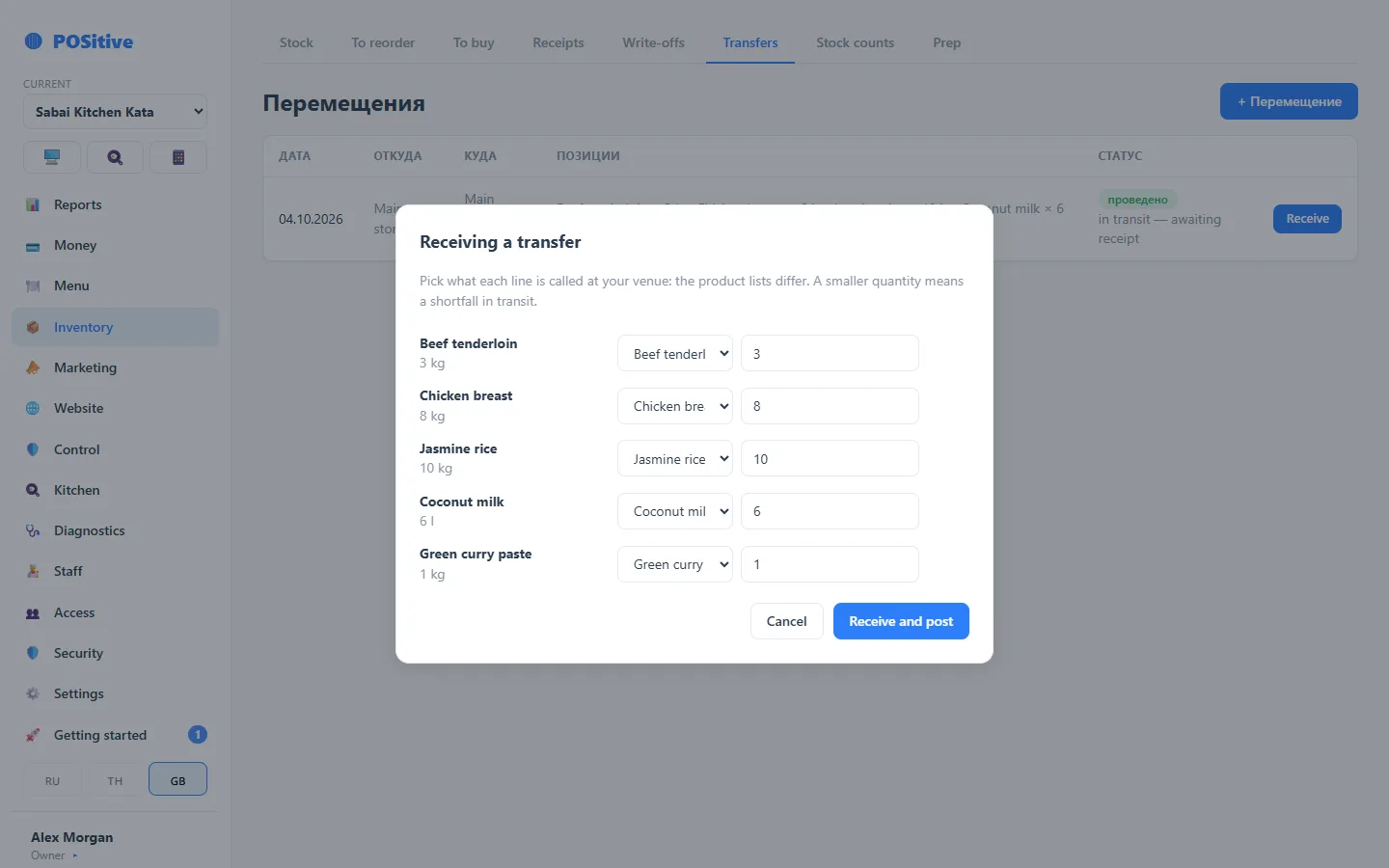
One venue helps another out before the weekend, a central warehouse distributes purchases. A dispatch reduces the sender’s stock, and the receiver accepts the lines and links them to its own product cards: each venue has its own catalogue.
- Cost travels with the product, so the receiver’s profit is not overstated
- Until the receiver accepts the goods, the document is shown as “in transit” on both sides
- Received less than was dispatched — the shortfall in transit is shown in the document
What else a group will find useful
One kitchen — several brands
A cook registered in two venues sees both kitchens on one screen as a single queue. For a dark kitchen with several brands.
Neighbours at one table
Two of the group’s venues side by side: the guest orders from both menus, the register splits the money and keeps the mutual settlement.
Learn more →Shared guest database
Guests from website orders form one database for the whole group, not a separate one for each venue.
Different cities and countries
Each venue has its own time zone and currency. If the currencies differ, the report does not add them into one sum but shows the venues separately.
A venue can be closed
A closed venue disappears from the combined figures and the switcher; its history stays. It can be brought back at any time.
Adding a venue quickly
The account owner adds a venue themselves: register, inventory, accounts and payment methods appear at once.
Learn more →What is shared and what each venue has its own
| Shared across the account | Each venue has its own |
|---|---|
| Sign-in: one login per person | Menu, prices, recipes |
| Combined reports, POSik, group timesheet | Storage locations and stock, suppliers |
| Guest database from website orders | Money: accounts, shifts, register |
| Subscription and set of modules | Roles, permissions and PIN |
| The account owner sees everything | Discounts and vouchers, printers, taxes, opening hours |
There is no “copy the menu to another venue” button yet: we move a new venue’s menu on request. There are no group-wide discounts and vouchers either — they are set up in each venue.
Included in every configuration
Register and shifts
Orders, payment, refunds, an interim X report and a Z report at shift closing, receipt and kitchen ticket printing.
Learn more →Control
A log for every receipt, voids and discounts with names, permissions down to individual actions.
Learn more →Three languages
Russian, English, Thai — each device in its own language, switched on the device itself.
Learn more →We will help set up your group account
Tell us how many venues you have and how your team is organised — we will advise how to arrange access rights so that everyone sees only their own.