An Android tablet register for dine-in, takeaway and delivery
An ordinary Android tablet becomes the workstation for waiters and cashiers. Dine-in, takeaway and delivery orders are all handled in one app; no separate delivery software is needed.
- The order is saved automatically on every change
- Without internet the register keeps selling takeaway; sales reach the server once the connection is back
- Russian, Thai or English — each device in its own language
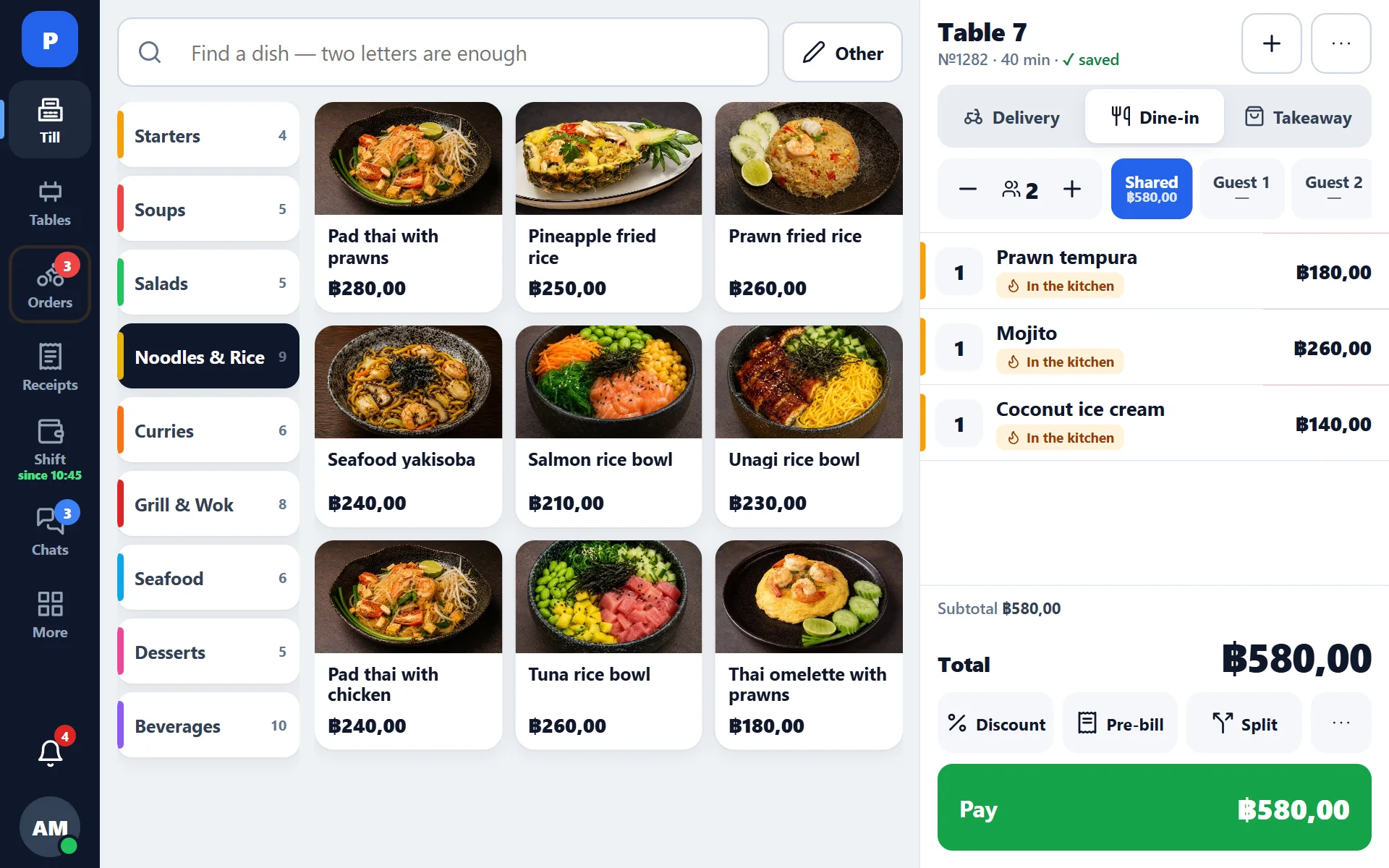
The register at work
A table, the kitchen, payment, a website order and a shift — one minute of screen recording from a real register. The chapters under the video jump to the right moment.
Every device in its own language
Russian, Thai and English are switched on the device itself — with a flag on the sign-in screen, in the staff menu or on the kitchen display. The register can run in Russian, the kitchen display in Thai and the manager’s back office in English, at the same time and independently of each other. A Thai cook, a Russian-speaking manager and a waiter who prefers English work in one system, and each sees it in a language they understand.
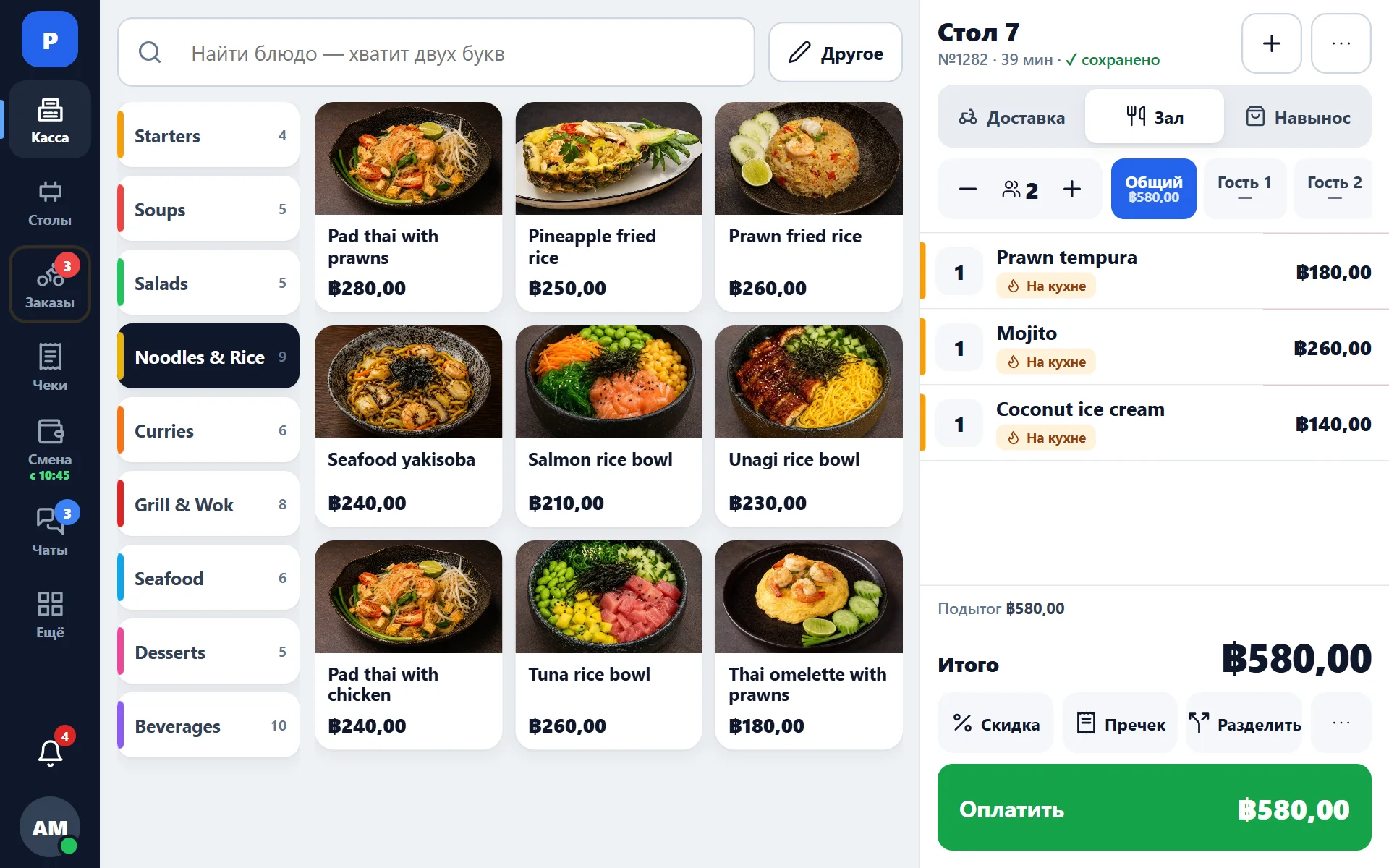
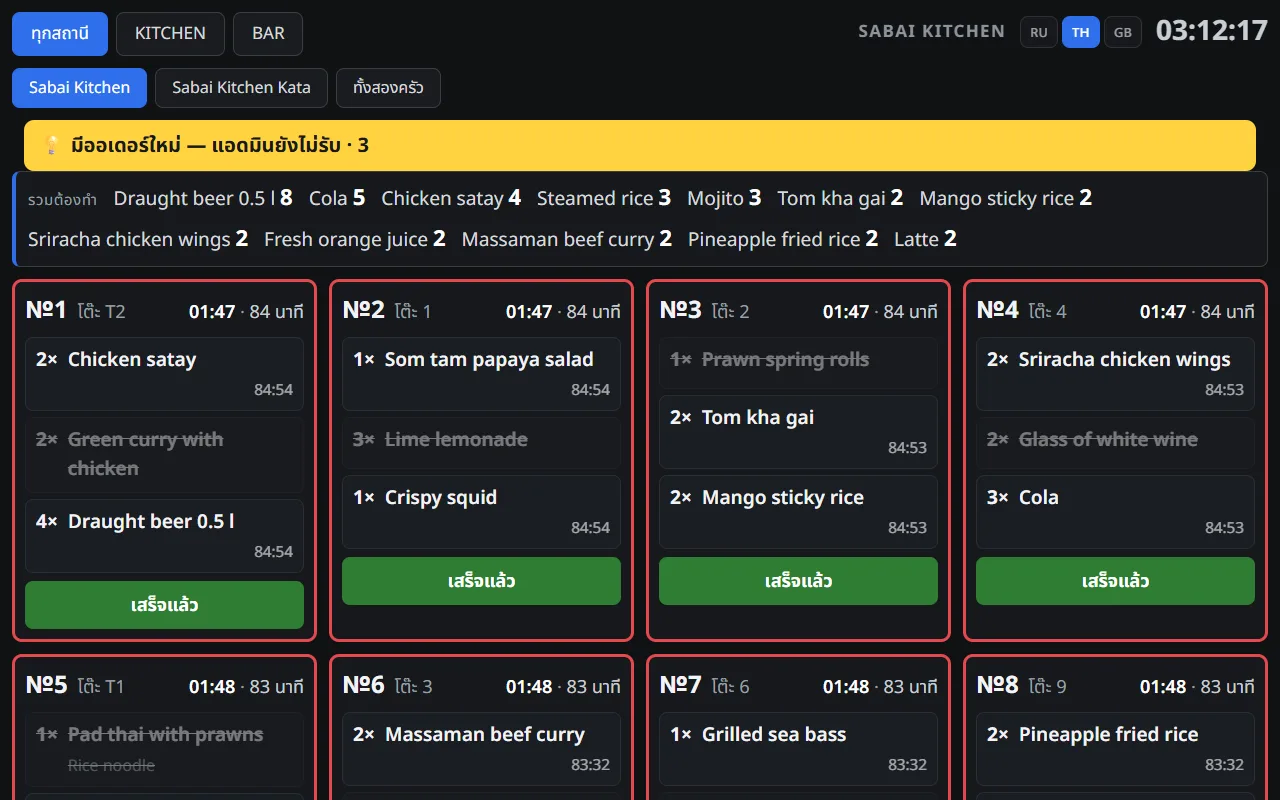
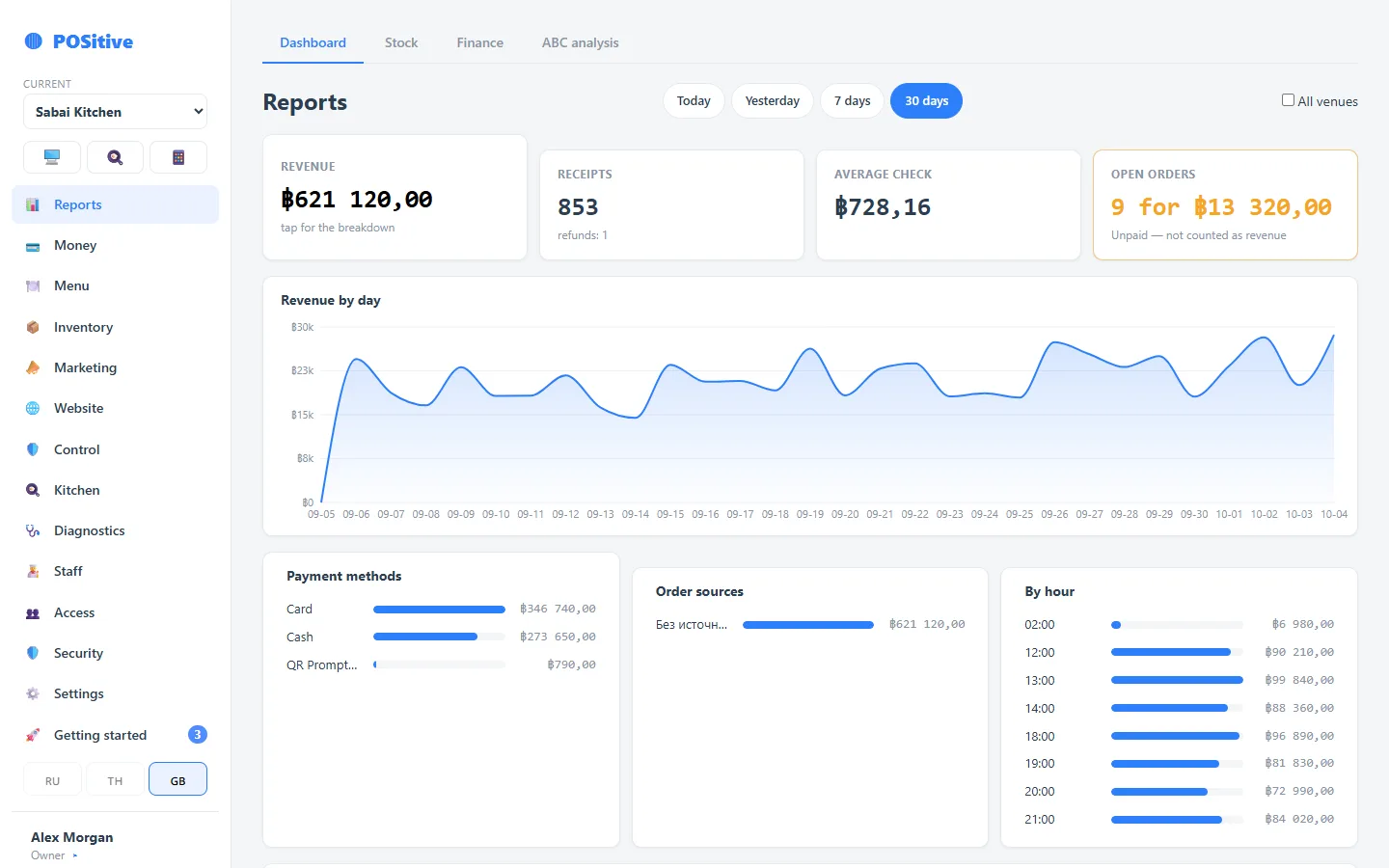
- The language applies only to the device where it was chosen: the tablet next to it keeps its own
- Switching takes one tap, with no restart and no trip to the settings
- The back office and the POSik app remember each person’s language: a manager sees their language on any computer or phone
- Guest receipts and kitchen tickets print in their own languages, regardless of the screen language
Core register features
Autosave
Every change to an order is saved immediately. If the tablet runs out of battery or the app closes, the order is not lost.
Modifiers with recipes
“Double cheese” raises the price for the guest and deducts a second portion of cheese from stock, so add-ons are counted in the cost.
Works without internet
If the connection drops, the register keeps selling takeaway: sales are stored on the tablet and sent to the server when the connection returns, without duplicates. While offline, receipts are not printed.
Floor plan, tables and moving guests
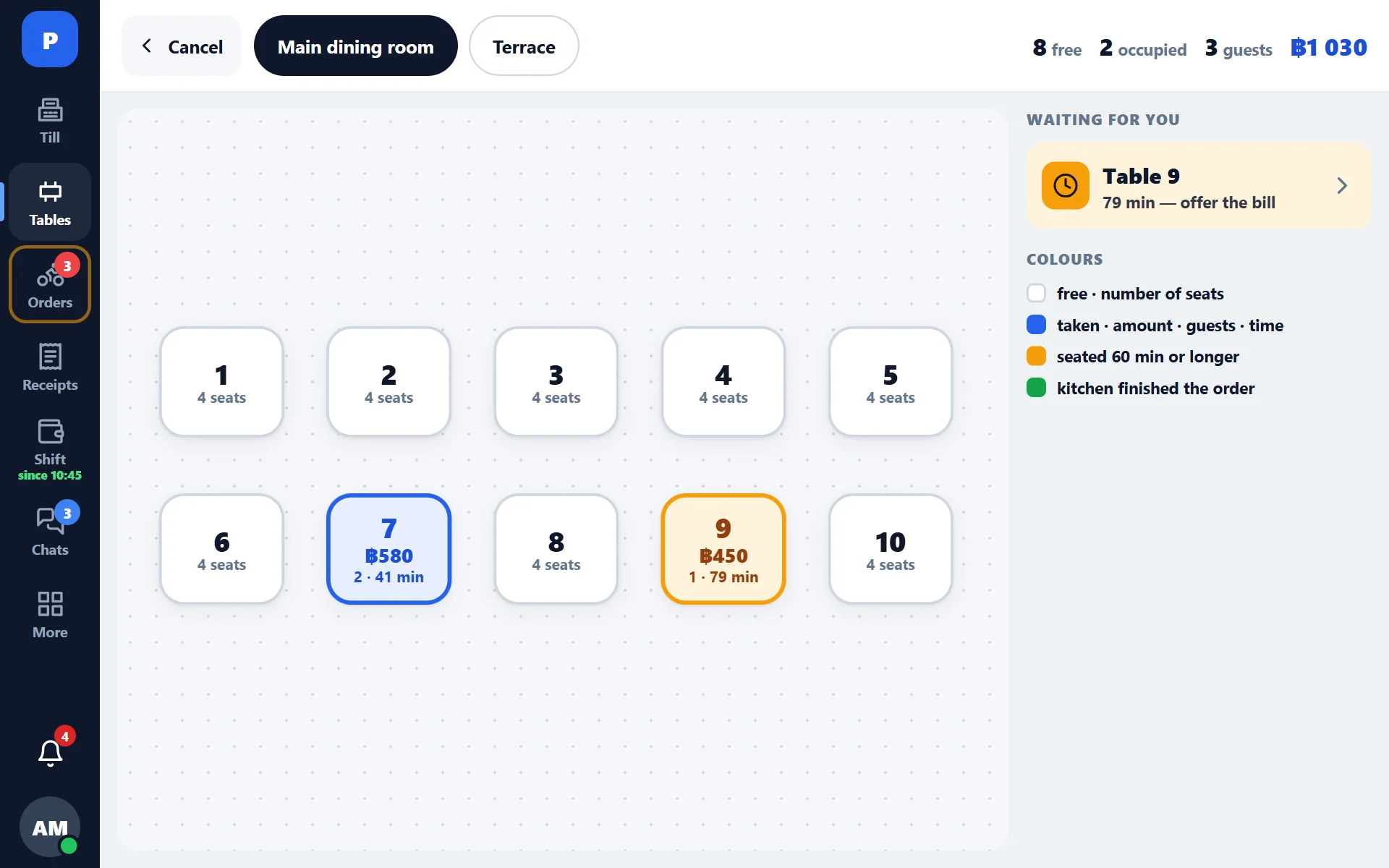
The waiter sees the whole floor: which tables are occupied, how long guests have been seated and the current order total. An order is opened from the table on the plan, and guests can be moved to another table together with their order.
- Several rooms and terraces, each with its own plan
- Time at the table and the running total are shown on the plan
- Table reservations right at the register, no paper book
- Separate bills: guests at one table can pay individually
Split payment, tips and change
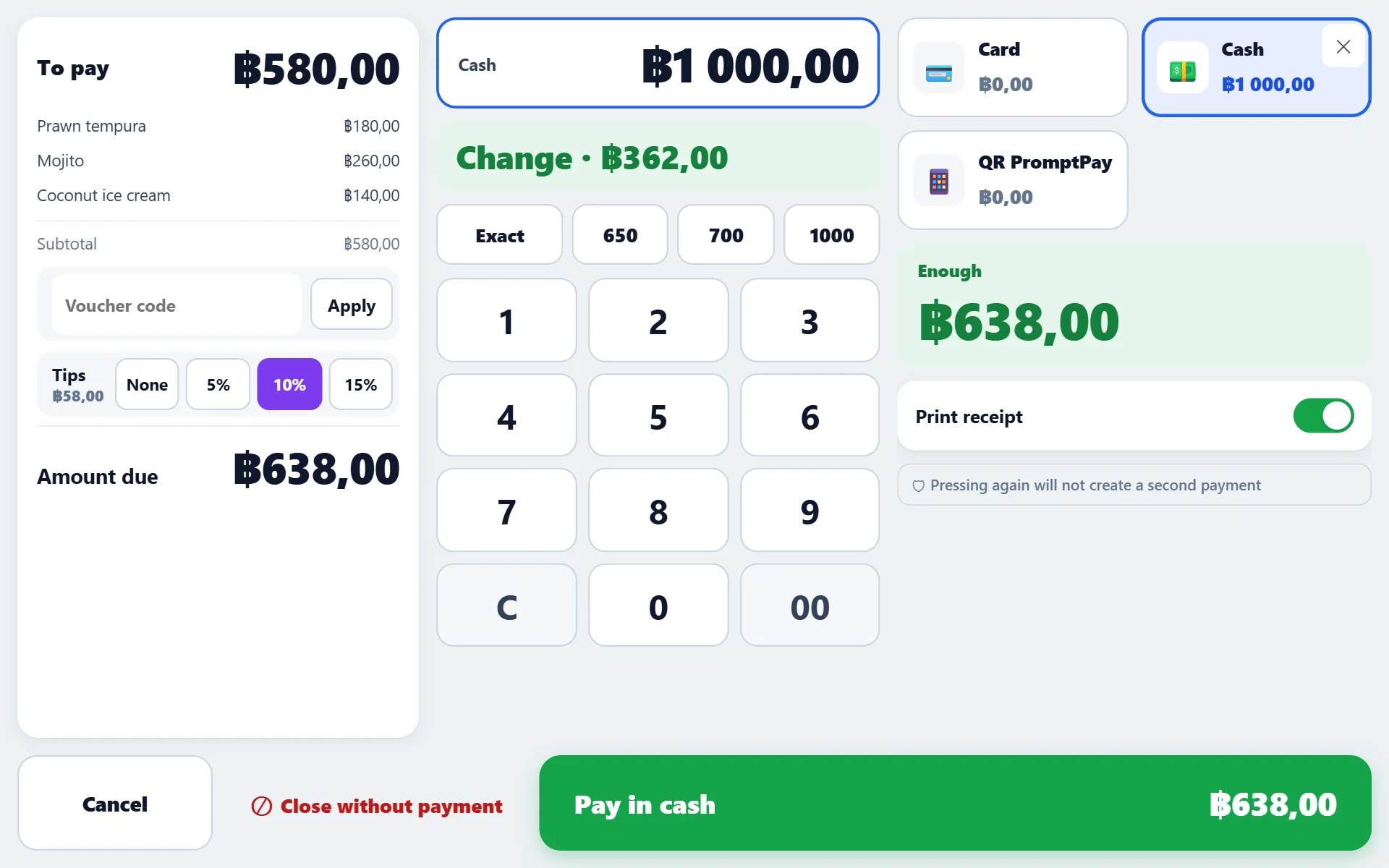
A guest can pay one receipt by card and cash, leave a tip or ask to split the bill. All of this happens on one screen, and revenue is recorded correctly.
- Several payment methods in one receipt, the balance is recalculated as you go
- Tips do not count as venue revenue and are shown as a separate line
- Quick cash amount buttons adjust to the receipt total
- Closing without payment — only with permission and an entry in the log
- Pressing “Pay” twice does not create a second receipt
What else the register does
Full and partial refunds
Part of an order can be refunded, for example two rolls out of seven. The ingredients go back to stock and the refund is recorded in the log.
Discounts and service items
Discount presets, fixed-amount discounts, on-the-house items and zero receipts. Each discount is recorded with the name of the person who applied it.
Receipts screen
Sales history right on the tablet: find a receipt, view its contents, reprint it or process a refund — without opening the back office.
Shifts and Z report
Open a shift with a cash float, record pay-ins and pay-outs, close with a cash count and print the Z report on the receipt printer.
Stop list
An item that has run out is taken off sale with one tap — it immediately becomes unavailable both at the register and on the website.
PIN and permissions
Sign-in by PIN in a couple of seconds. Sensitive actions (refund, manual price, void) require confirmation by an employee with the right permission.
How a typical order goes
- 1
PIN sign-in
The waiter enters their PIN — the register knows who is working and puts their name on the receipt.
- 2
Table and dishes
The waiter picks a table, adds dishes, modifiers and a note for the cook.
- 3
To the kitchen
Kitchen tickets go to the stations: sushi to the sushi station, hot dishes to the kitchen. The cook also sees the order on the kitchen display.
- 4
Additional order
If the guest orders something else, the new items print separately and are marked as added.
- 5
Payment
Split payment, tips, separate bills. The receipt prints, the drawer opens, stock is deducted.
Questions about the register
What happens when the internet goes down?
The register switches to offline mode, and the screen shows that there is no connection. Counter and takeaway sales can be rung up and paid — the receipt is saved on the tablet but is not printed while offline. A table order is paid once the network is back. When the connection returns, pending sales are sent to the server automatically and without duplicates, even if the receipt was rung up several times.
How many registers can one venue have?
As many as you need. Registers share the venue’s shift: receipts are visible to all of them, and there is one Z report broken down by employee. One receipt cannot be closed by two registers at the same time — the server checks this.
Do I need a special tablet?
No, an ordinary Android tablet will do. The app installs from a link and updates itself. The register also works in a browser — for example, on the manager’s laptop.
Can I work without a floor plan?
Yes. A coffee shop or fast food outlet does not need a floor plan: orders are taken at the counter as takeaway, and tables are simply not used.
See the register in the demo
The demo has a restaurant and a cafe register with today’s orders. No sign-up needed.