Every action on a receipt stays in the history
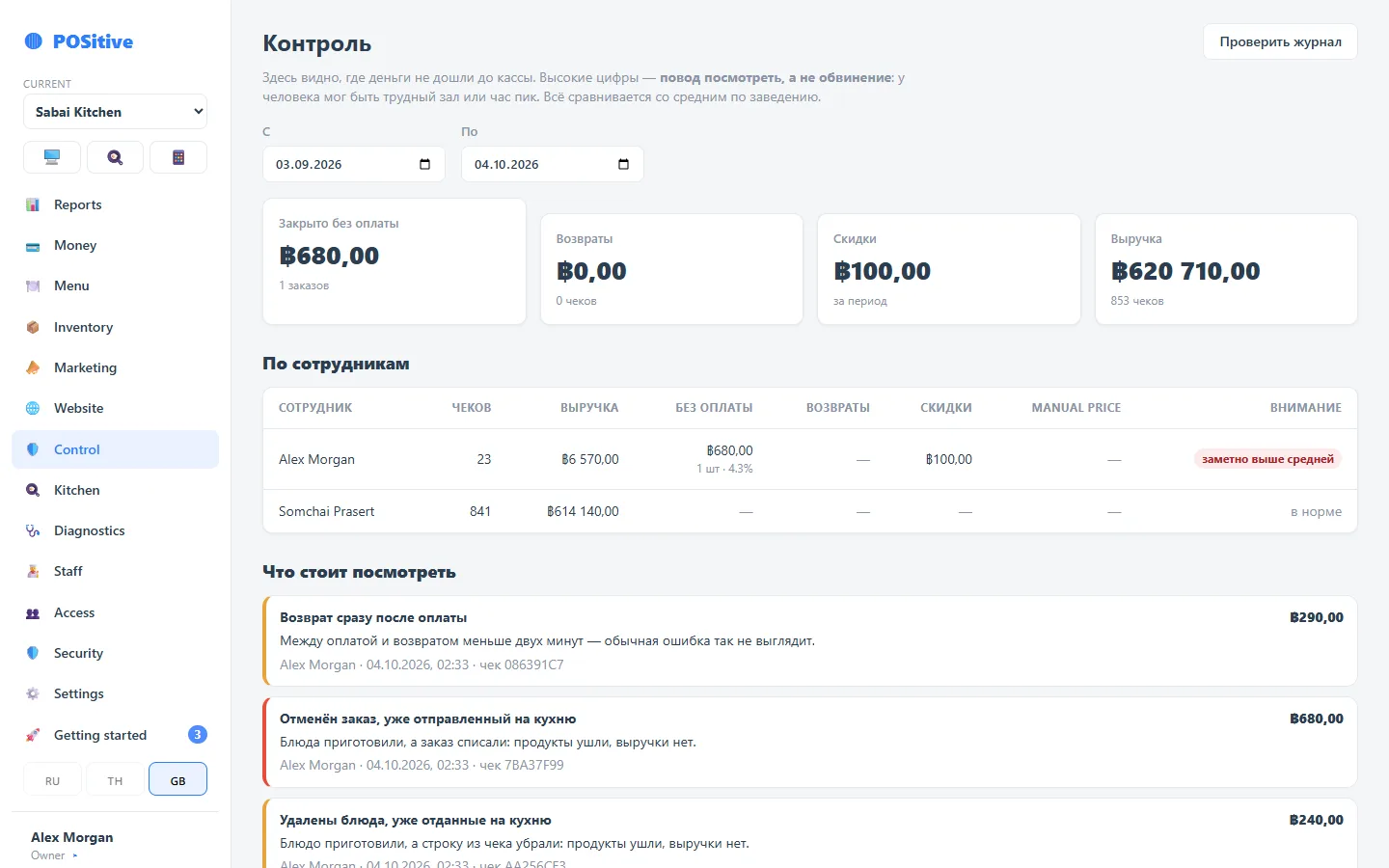
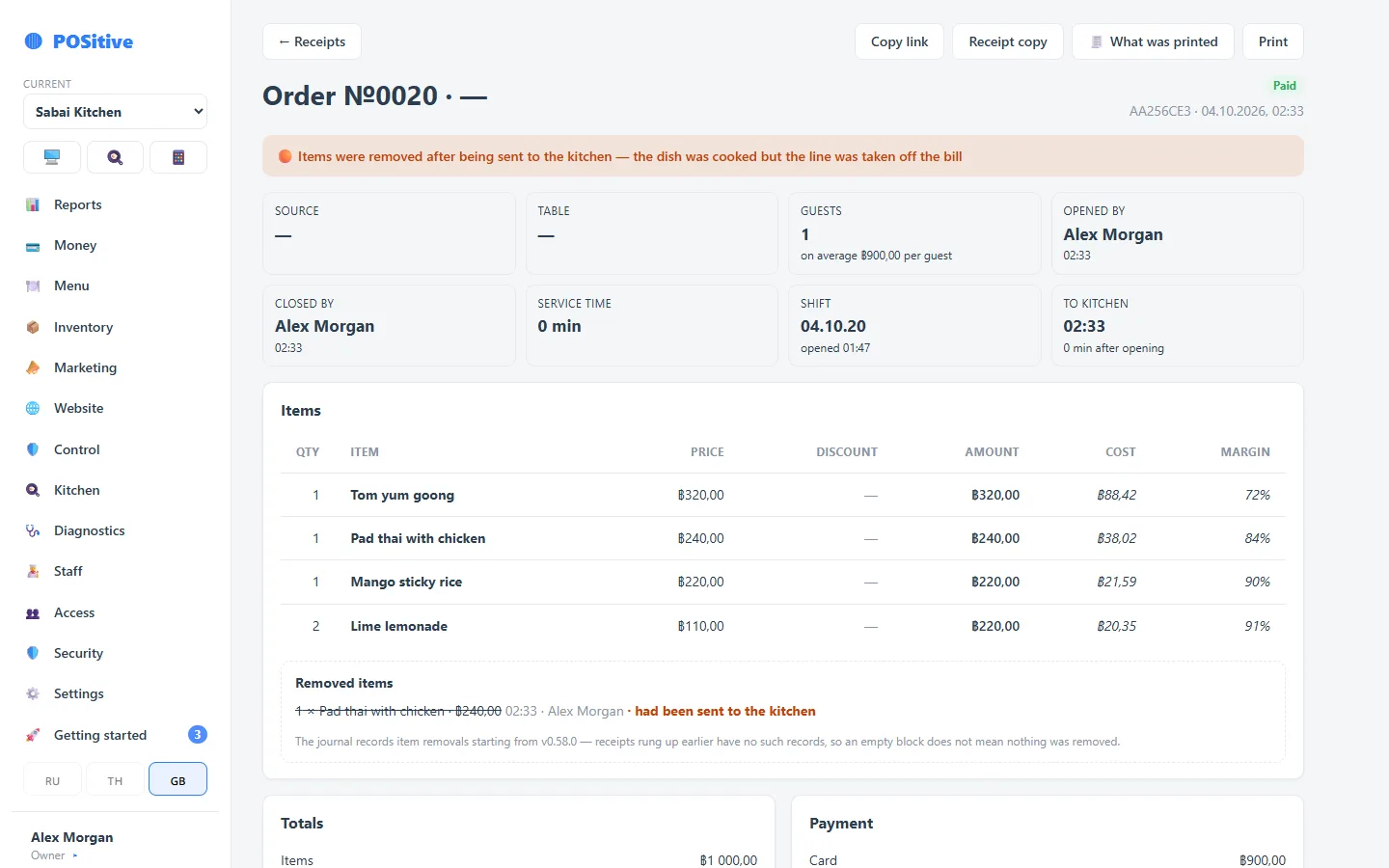
Who opened the order, who removed an item after it went to the kitchen, who applied a discount, who closed a receipt without payment — all visible by name and time.
- The event log is protected by a chain of checksums
- Risk scores and red flags by shift and employee
- Sensitive actions require PIN confirmation by an employee with the right permission
What to look at first
Voids after the kitchen
An item removed after it was sent to the kitchen is the main warning sign. You can see who removed it, what exactly and for what amount.
Discounts and manual prices
Every discount with its author and reason. A manual price is a separate permission, and every such line goes into the report.
Closing without payment
On-the-house and written-off receipts are recorded explicitly, with permission and a reason. Such a receipt does not vanish from reports — it stays there with zero revenue.
How the receipt history is protected
Receipt events are written to a feed with a chain of checksums: changing a past entry breaks the chain and will be detected. Posted documents are not edited; mistakes are corrected by reversal.
- Action log: who, what, when, what it was before and what it became
- Unclosed orders: dishes were cooked, but the receipt was never closed
- Register diagnostics: which register runs which version and when it was last online
- Permissions are checked on the server, not by hiding buttons in the interface
Questions about control
Can an employee delete a receipt?
No. A receipt can be voided or refunded — both require permission and stay in the history with the author and reason. The system has no physical deletion.
What does the manager see, and what does the owner see?
That is configurable: permissions are granted down to individual actions, and access down to individual venues. A manager can be given control of their own venue while the group’s finances stay closed.
How do I detect abuse that was not noticed at the time?
Through the event feed and the voids report for the period. Red flags are collected automatically: many voids after the kitchen, unusual discounts, recurring shift discrepancies for the same person.
See the receipt log in the demo
The demo shows every action on a receipt — from opening the order to closing the shift.