Works with an ordinary tablet and printers
There is no need to buy proprietary hardware: an Android tablet and network ESC/POS printers will do, and the register finds them on the network itself.
- 58 or 80 mm receipt printer, width is configurable
- Kitchen tickets by station: sushi to the sushi station, hot dishes to the kitchen
- The cash drawer opens through the printer
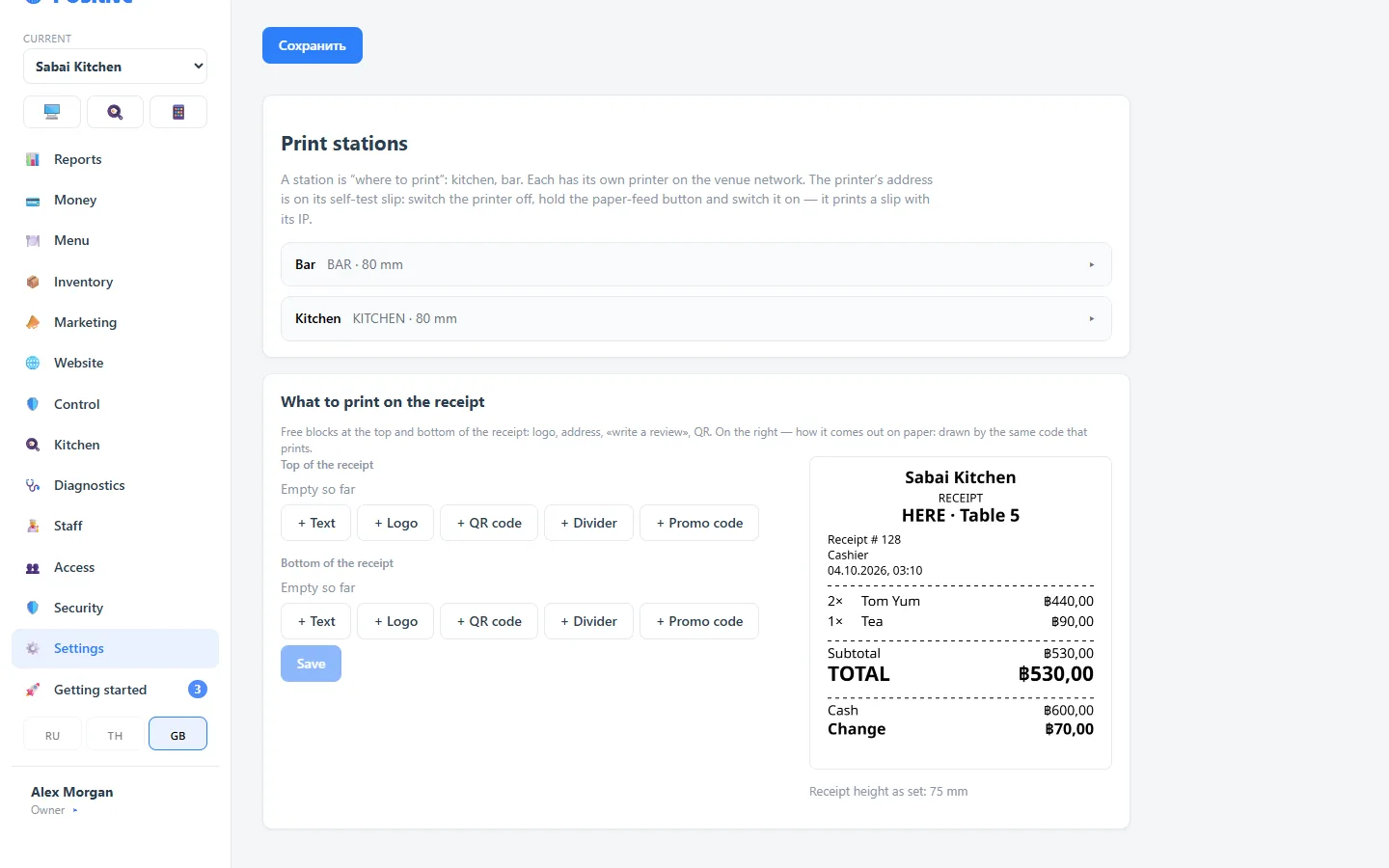
What gets printed
Guest receipt
Logo, address, free text, a “promo code for a review”, a QR code. An editor with preview — you see what will come out of the printer before printing.
Kitchen ticket
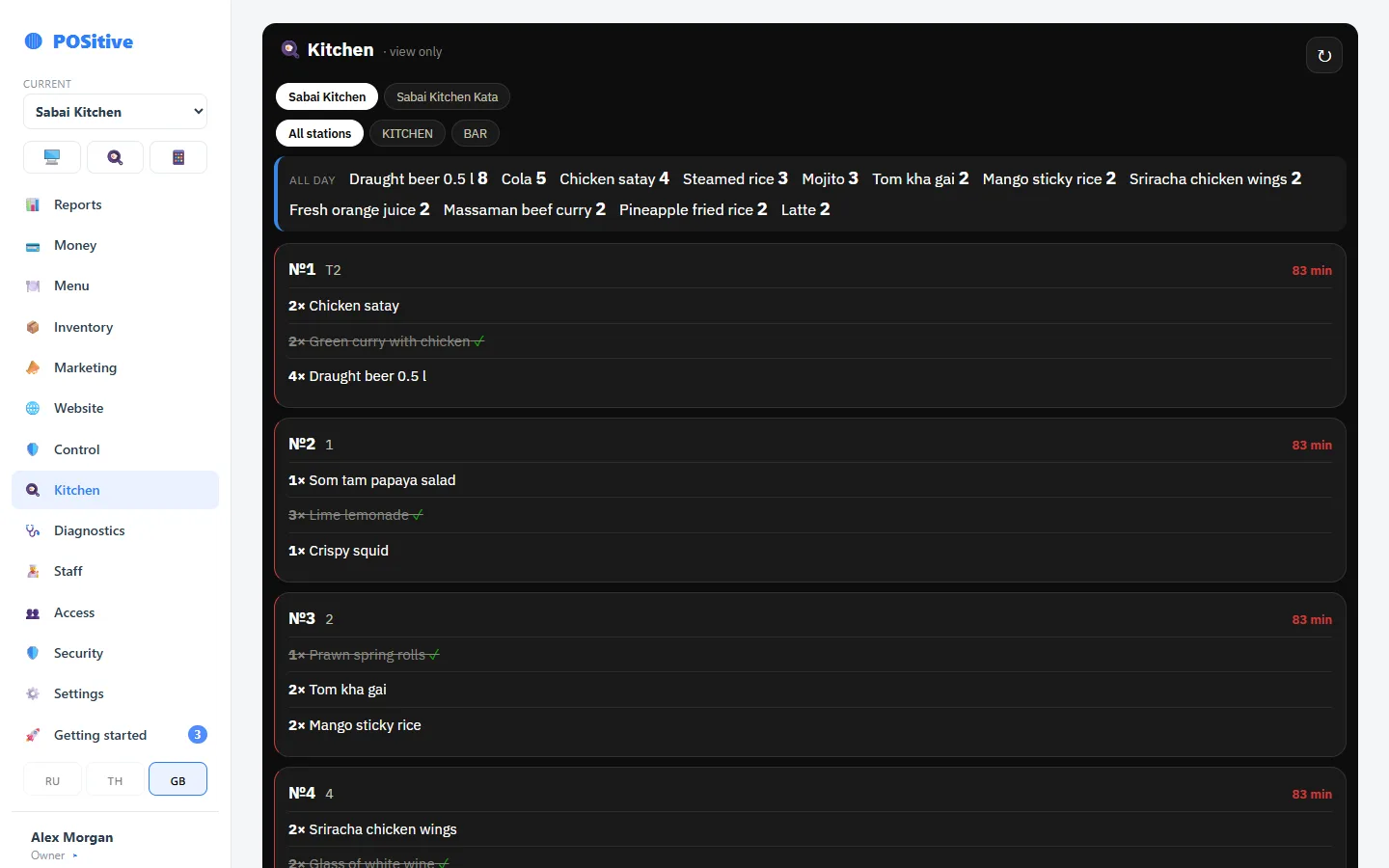
Large font, the kitchen language is set separately from the cashier’s, additional orders are marked. The ticket is easy to read from a distance.
X and Z reports
The X report is an interim shift total and can be printed as many times as you like. The Z report is the total at shift closing. Both print on the receipt printer.
Printers are found automatically
The register scans the network and shows the printers it finds — no need to look up an IP address by hand. Each printer is given a role: receipts, kitchen, bar.
- Several printers in one venue, each with its own station
- Test print with one button
- Auto-cut and cash drawer opening
- If a printer does not respond, the register will say so
What you need to start
| Hardware | What for | Required? |
|---|---|---|
| Android tablet | Waiter and cashier register | Yes |
| ESC/POS receipt printer (Wi-Fi) | Guest receipt, X and Z reports | Yes, if you print receipts |
| Kitchen printer | Kitchen tickets by station | No, if you have a kitchen display |
| Cash drawer | Cash | No, if you take no cash |
| Kitchen tablet | Kitchen display | No, it is a separate module |
| Laptop or computer | Back office: menu, inventory, reports | More convenient, but a tablet works too |
Questions about hardware
Which printers are suitable?
Network thermal printers that support ESC/POS — the most common standard. 58 or 80 mm wide, mainly 80 mm. Connected by Wi-Fi or by cable through the router.
Why does printing need an app rather than a browser?
A browser is not allowed to talk to a printer over the network directly. So the register is installed as an app — a thin shell around the same program that prints over TCP.
What if a printer breaks in the middle of a shift?
Sales will not stop: the receipt can be reprinted from the receipts screen when the printer is back. Meanwhile the kitchen display helps the kitchen, if it is connected.
We will suggest suitable hardware
Tell us which tablets and printers you already have — we will reply with what will work and what will need replacing.