Menu and recipes with food cost
In POSitive a dish has not just a price but a recipe: ingredients, processing losses and prep items. From the recipe the system calculates cost and food cost.
- Dish variants are visible at once, each with its own price and cost
- Modifiers change the price and deduct ingredients
- Names in three languages: for the kitchen, for the receipt, for the guest
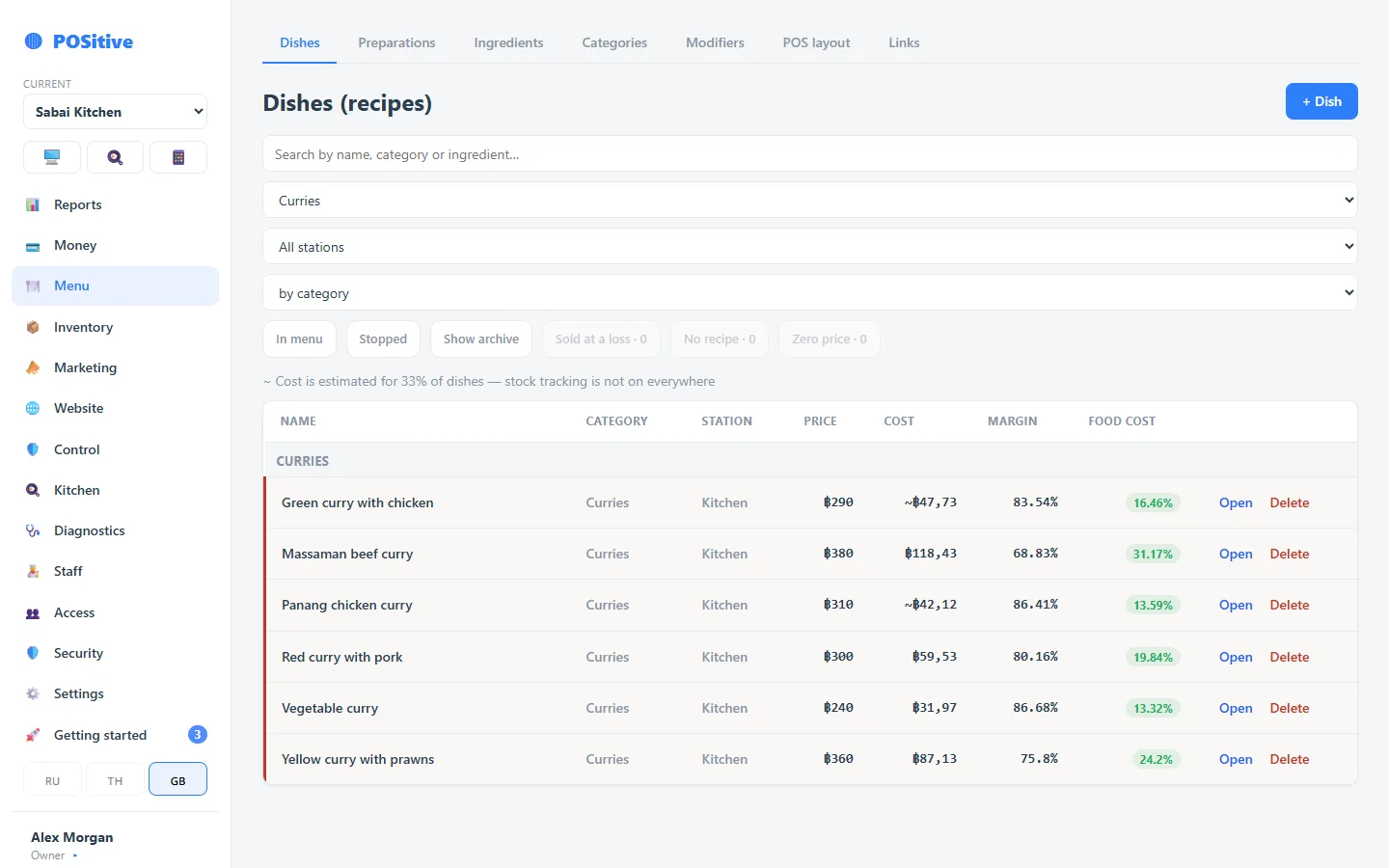
What the menu is made of
Categories and layout
Two levels of categories. The order of tiles at the register is set in the back office by drag and drop.
Dishes and variants
One dish can have several variants — “small/large”, “Philadelphia 4/8 pieces”. Each has its own price, its own recipe and its own margin.
Modifiers
Required and optional groups, with a price and a recipe. Groups are reused from a library: one “Sauces” group for thirty dishes.
Recipes with gross weight, net weight and losses
Dish ingredients are entered gross and net, with a loss rate for processing — peeling, boiling, frying. A prep item goes into a dish like an ordinary ingredient, and its cost is built from its own recipe.
- Gross/net and losses by cooking method
- Nested prep items of any depth
- Cost by moving weighted average — from your goods receipts
- Food cost and margin per dish, variant and modifier
- Loss-making items are highlighted in the list
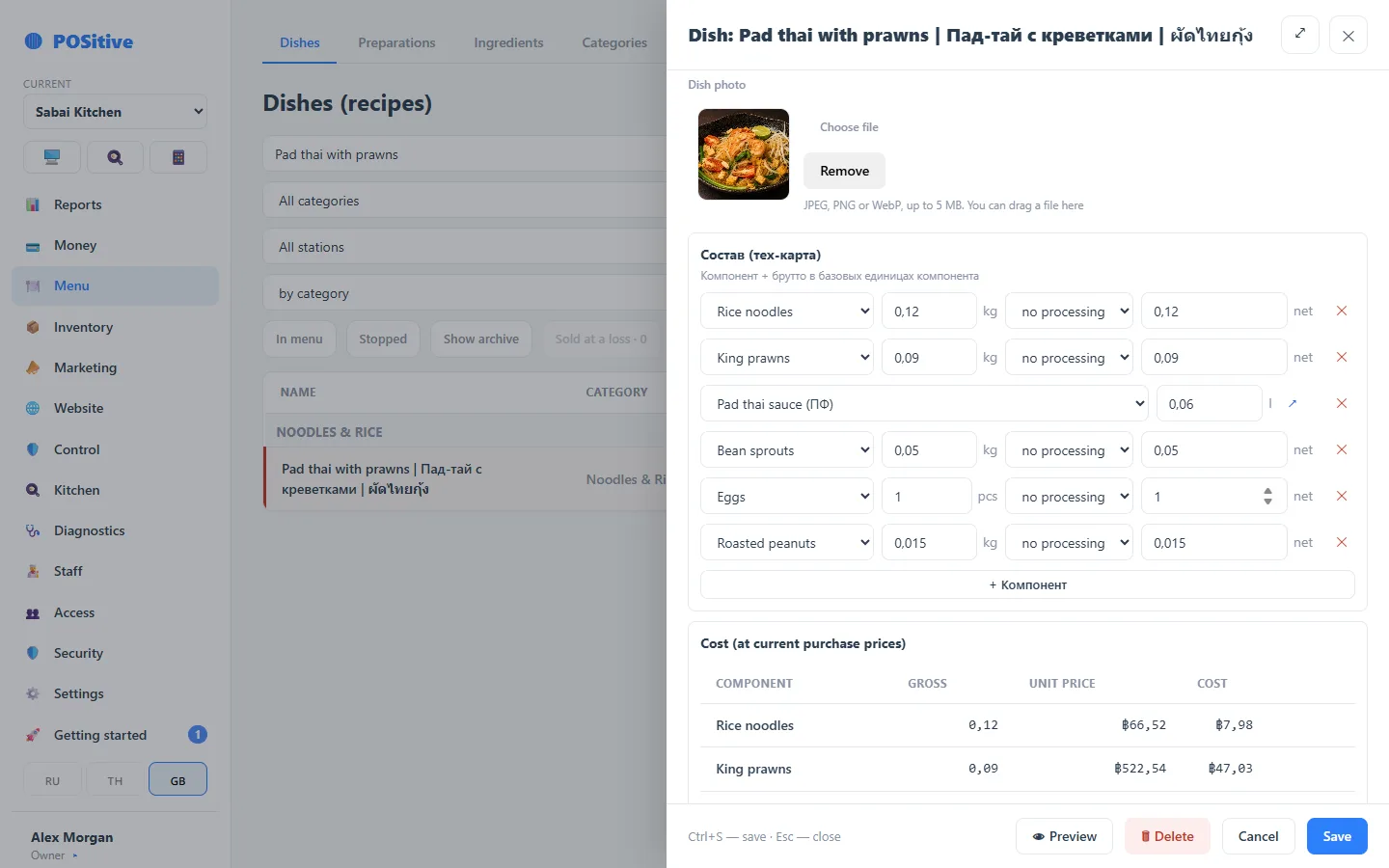
Everyday conveniences
Dish photos
Tiles with photos help new staff find dishes faster. The same photo is used on the website.
Search across the menu
Search finds a dish in any category. At the register it has its own on-screen keyboard that does not cover the menu.
Stop list
A dish taken off sale becomes unavailable at the register and on the website. If an add-on runs out, only the add-on is stopped, not the whole dish.
Archive instead of deletion
A dish with a sales history is not physically deleted — it goes to the archive. Last month’s reports stay intact.
Website link
Website items are matched with the register menu once; after that orders land on the right items automatically.
Open price
An “Other” item with an open price — for anything not on the menu: a banquet dish, a souvenir, a charge for a broken glass.
Questions about the menu
Do I have to set up recipes?
No. A dish can be sold without a recipe — it simply will not have a cost or stock deduction. Recipes can be added gradually, starting with the best-selling items.
What is the difference between a variant and a modifier?
A variant is a different dish with a different price and recipe (“roll 4 pcs” and “roll 8 pcs”). A modifier is an add-on or choice for a dish (“no onion”, “double cheese”). Variants are visible in the list straight away rather than hidden inside the dish card.
Can the menu be kept in several languages?
Yes, names are kept in three languages: one prints on the kitchen ticket, another on the guest receipt, the third is shown on the storefront. The cook reads Thai, the guest reads English.
We will help move your menu
We move your menu from your previous POS system with categories, prices and photos. After that, add recipes to see your food cost.