Working time and payroll
Clock-in at the register, a timesheet for the period, overtime and lateness, earnings and deductions — in the same system that shows how much each person sold.
- Who is at work right now — on the owner’s screen
- Timesheet and payslip for each employee
- Daily rate, monthly rate and hourly overtime rate
What the module does
Timesheet
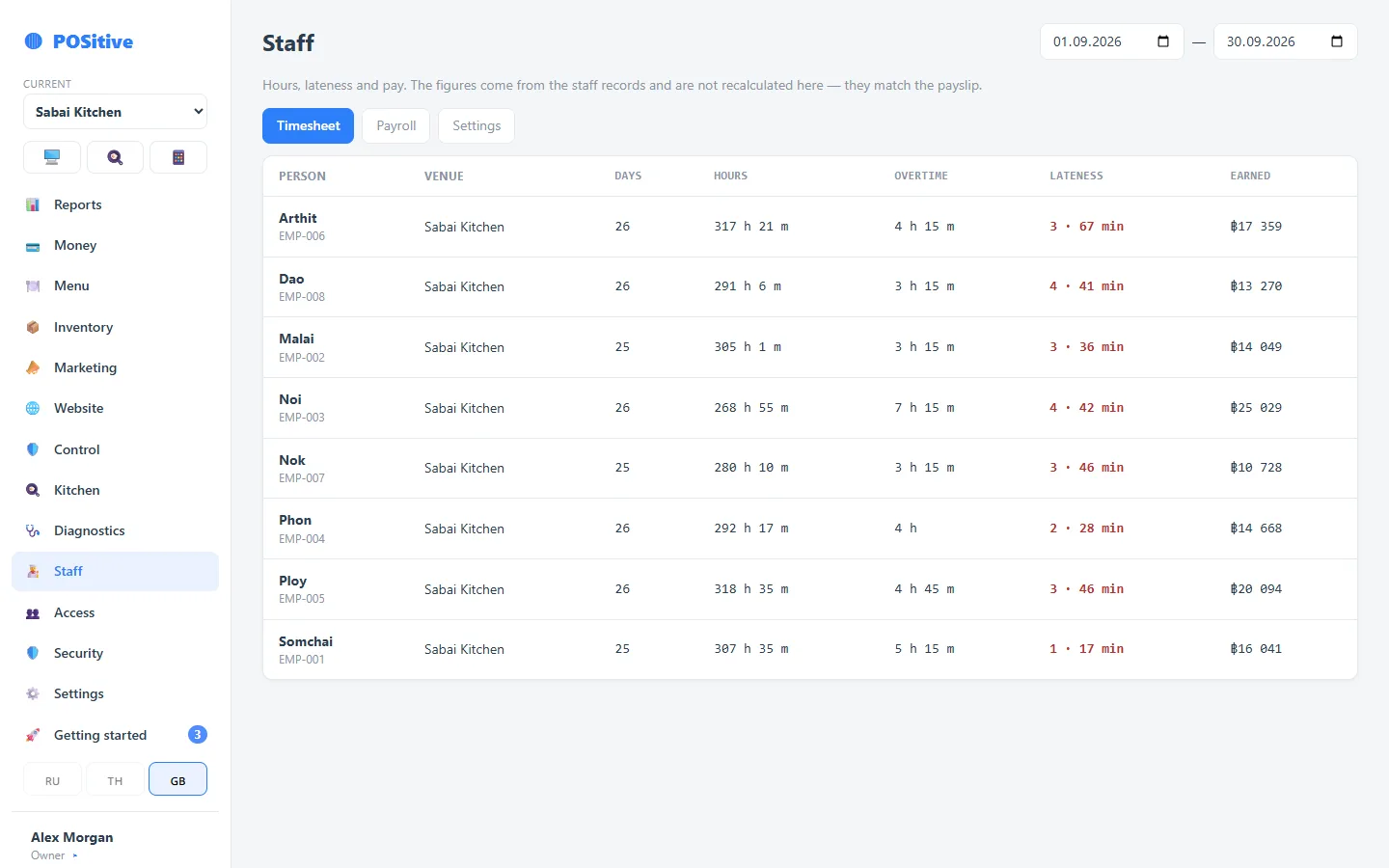
Days, hours, overtime and lateness for the period — for each person and for the venue as a whole.
Payroll sheet
Earned, deducted, to be paid, payment status. The figures match what the employee sees in their own payslip.
Linked to the register
An employee’s user account links their clock-in to their sales. A cook or dishwasher does not need a user account.
Roles and permissions down to individual actions
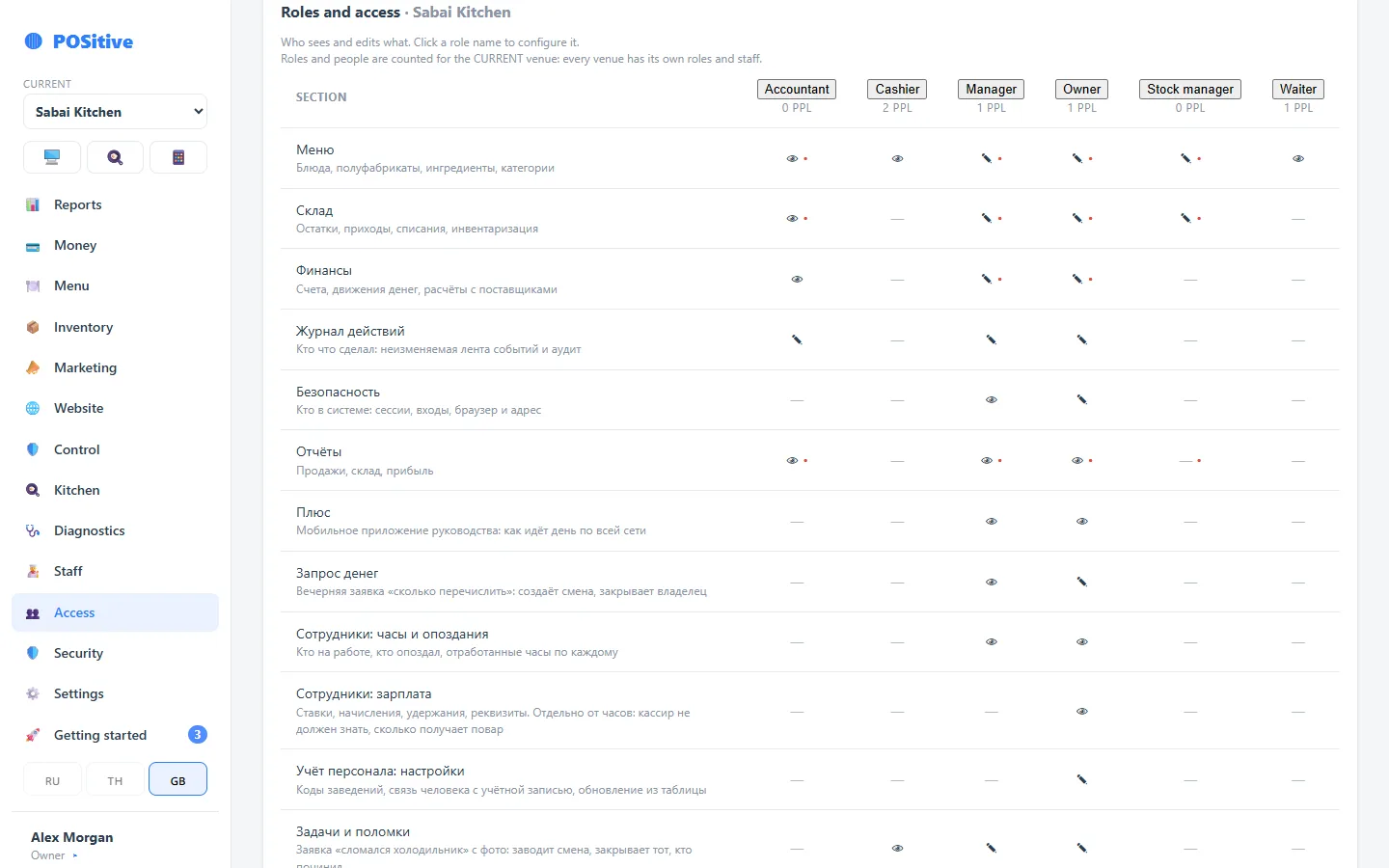
Waiter, bartender, shift manager, manager, owner — each has their own set. A permission is granted not “to a section” but to an action: view a report, apply a discount, make a refund, change a price.
- Access is granted per venue: a person sees only their own locations
- A PIN for quick sign-in at the register, a password for the back office
- Dismissal closes access immediately; the action history stays
- Confirmation PIN for sensitive operations
Questions about staff
Do I have to run payroll in the system?
No, it is a separate module. You can use only roles and permissions and calculate pay the way you are used to.
Can a manager be given access to their own restaurant only?
Yes. Access is granted per venue, and permissions per action. The manager of one venue will not see the figures of another.
How is lateness calculated?
From the clock-in time against the shift schedule. The timesheet shows both each instance and the minutes accumulated over the period.
See the timesheet in the demo
The demo has a month’s timesheet for 13 employees with overtime and lateness.