Inventory and cost tracking
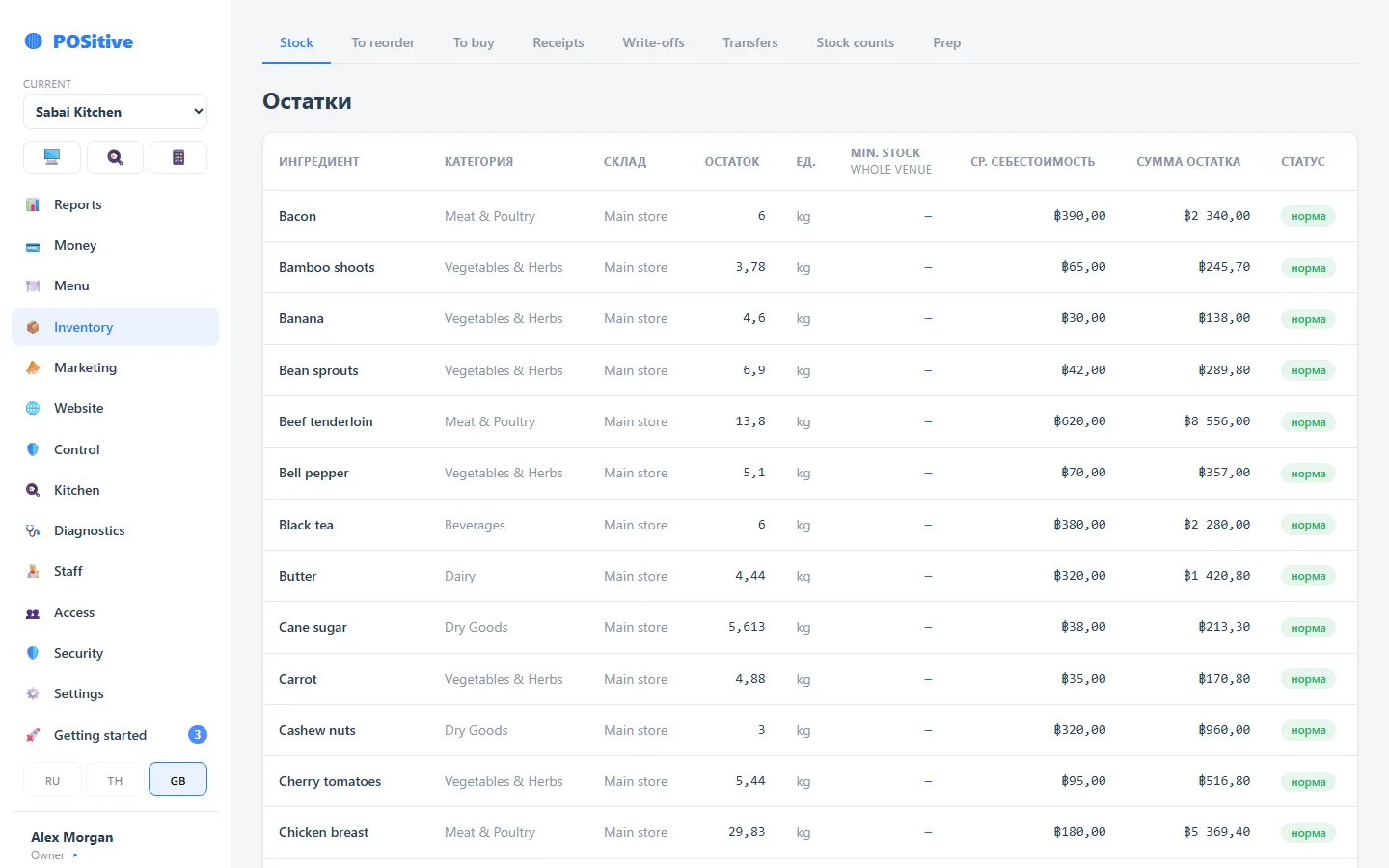
Every sale deducts ingredients according to the recipe and records the cost at the moment of the operation. Stock changes only through documents, so you can see where every figure came from.
- Goods receipts, write-offs, transfers, stocktakes
- Cost by the moving weighted average price of your deliveries
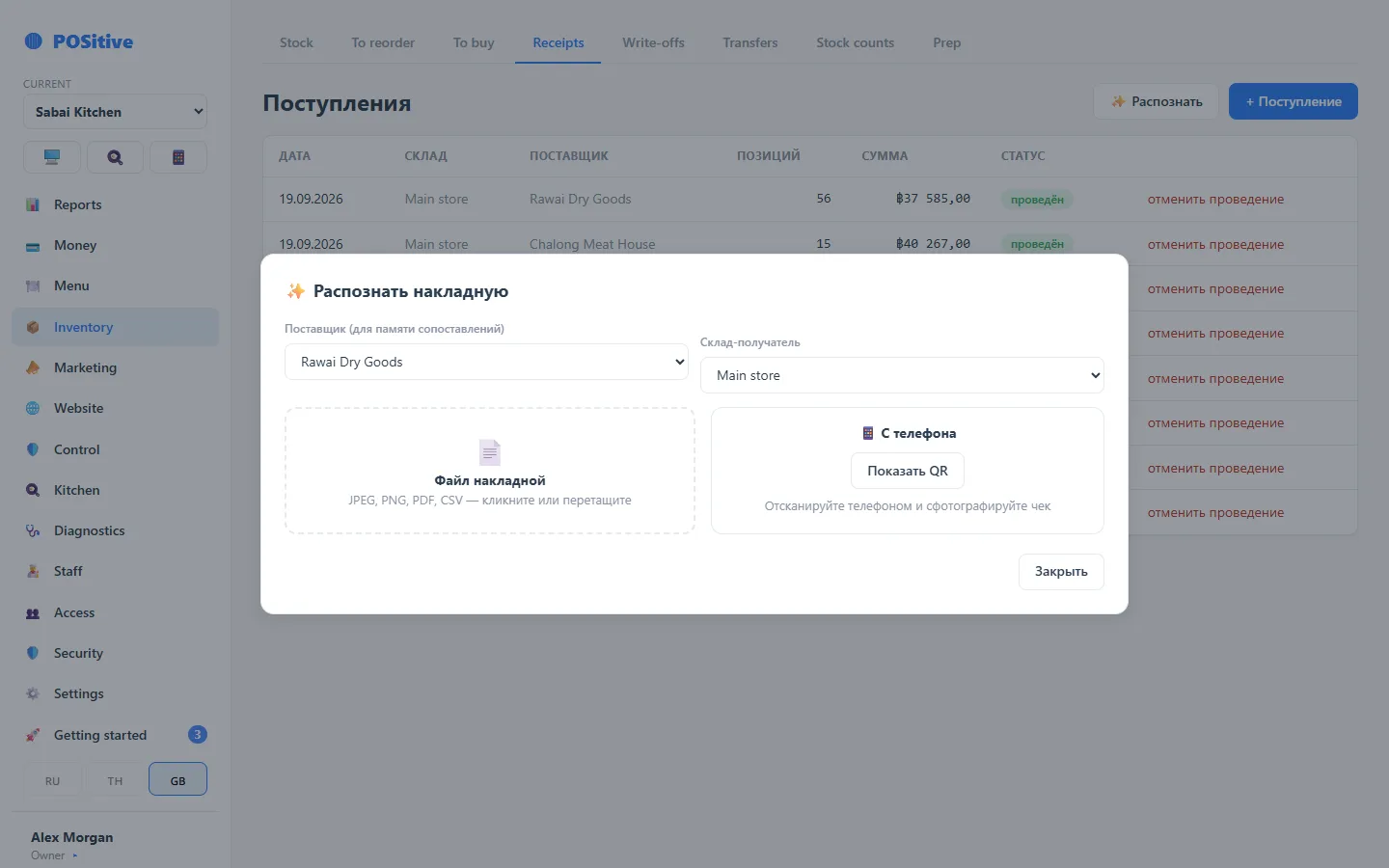
- A goods receipt can be created from a photo of the invoice
What keeps the numbers accurate
Stock changes only by document
Stock cannot be corrected by hand: it changes only through a goods receipt, write-off, transfer or stocktake, and every document has an author and a time.
Price comes from purchasing
The weighted average price is recalculated with every delivery. Cost cannot be entered by hand, so food cost is based on actual purchases.
Posted documents do not change
A mistake in a posted document is corrected by reversal. The history is kept, and reports for past periods do not change retroactively.
Receiving goods from a photo of the invoice
Photograph the invoice — the system recognises items, quantities and prices and prepares a goods receipt. All that is left is to check and post it.
- You can shoot with a phone: a QR code opens receiving on it
- Purchase packs are linked to the product: for example, a “10 kg box” of salmon
- Supplier, invoice number and date are saved with the document
- After posting, the weighted average cost of every dish with that product is recalculated
Tracking can be introduced step by step
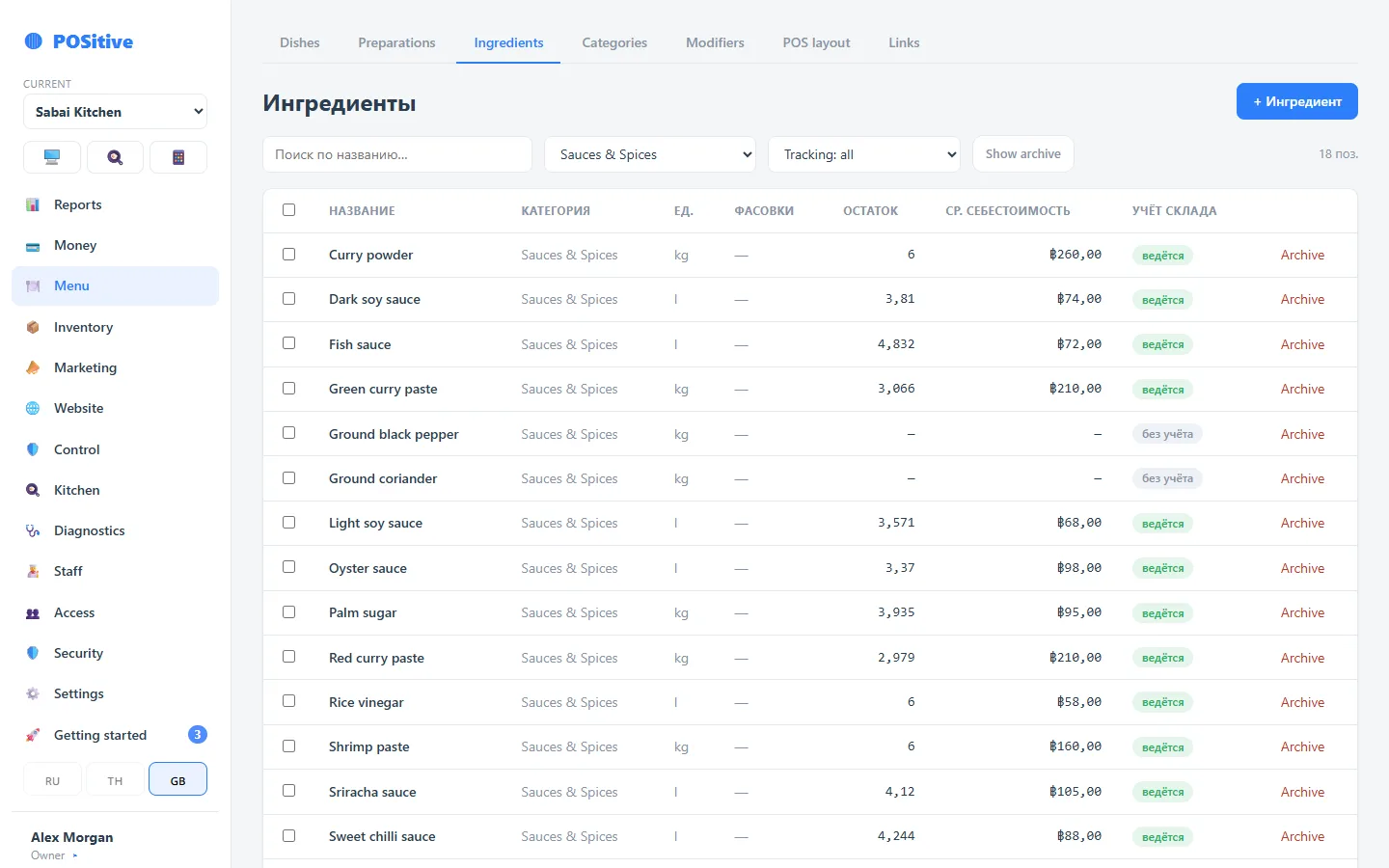
Each product has its own tracking switch. Tracked products are deducted by sales and included in stocktakes; the rest — spices, napkins and water, for example — create no stock movements.
- You can start with the bar or the ten most expensive kitchen items
- An untracked product needs no recipe, no stock level and no counting
- In cost it counts as zero or a fixed price — your choice
- Tracking for a product can be switched on at any time: just run a stocktake for it
- An assistant checks that the product has stock and recipes and suggests the next step
Why introduce tracking in parts
In many systems inventory tracking is switched on for all products at once. Until every item and recipe is set up and the whole stock is counted, the balances are inaccurate and cannot be used, so an inventory rollout often drags on for months.
A switch on each product lets you introduce tracking in parts: for example, the bar first, then fish and meat, then prep. Accurate stock and cost appear for each part straight away, without waiting for the rest.
Inventory documents
| Document | When it is needed | What it does to stock |
|---|---|---|
| Goods receipt | Delivery from a supplier | Increases stock, recalculates the average price |
| Write-off | Spoilage, breakage, on-the-house, staff tasting | Reduces stock with a stated reason |
| Transfer | Between storage locations and venues | Reduces one location, increases another |
| Stocktake | Full or partial count | Brings stock to the actual count, shows the difference in money |
| Sale | A receipt at the register | Deducts by recipe, records the cost at that moment |
| Refund | The guest declined | Returns ingredients to stock |
A partial stocktake lets you count only the bar without stopping the kitchen.
What else inventory has
Step-by-step tracking
Inventory tracking is switched on one product at a time. A product with tracking off creates no movements and is not counted in stocktakes — you can start with the bar.
Several storage locations
Kitchen, bar, fridge, second floor — each with its own stock. An employee can be given access to their own location only.
What to buy
The system shows what is short for the sales plan and builds a purchase list — by minimum stock levels and by consumption over a period.
Suppliers
A supplier directory with delivery and price history: you can see what got more expensive and by how much.
Consumption report
How much of a product went out over a period: into sales, write-offs and transfers. The difference between expected and actual stock is shown in money.
Prep items
Prep with its own recipes and yield: sauce, marinade, dough. They go into dishes and are counted like ordinary ingredients.
Questions about inventory
What if stock does not match what is actually there?
Run a stocktake: the system shows the discrepancy for each product and in money, and after posting it brings stock to the actual count. The difference is kept in the history — it shows where losses keep occurring.
How is cost calculated?
By moving weighted average: with each goods receipt the new price is blended with the old one in proportion to quantity. Each deduction records the cost at the moment of the operation, so reports for past periods do not change after a new delivery.
Can I track some products and not others?
Yes, this is the normal mode. Each product has a tracking flag. A product with tracking off creates no movements — convenient for spices, water and disposable tableware.
See inventory in the demo
The demo has stock levels, goods receipts, transfers and recipes with cost. No sign-up needed.