A dish queue on the cook’s tablet
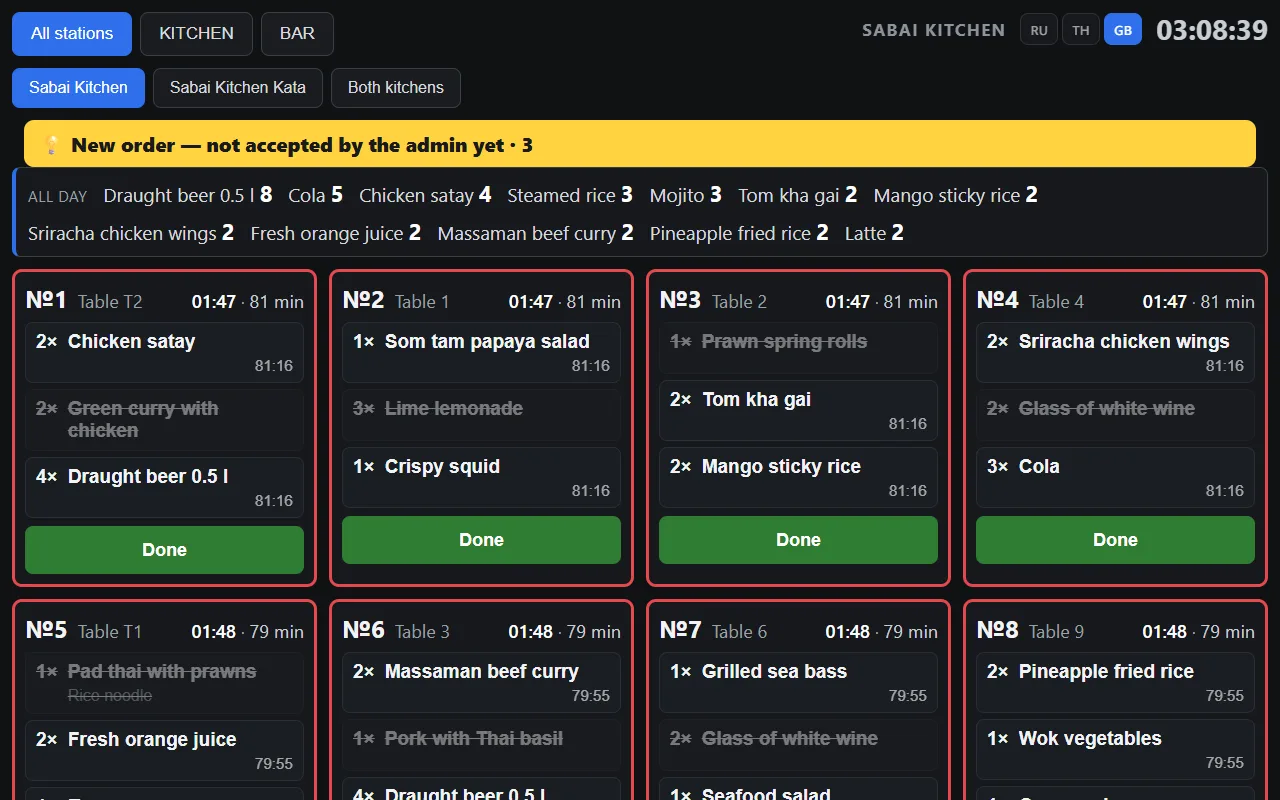
An order appears on the kitchen display as soon as it is sent from the register. You can see what to cook, how many portions have built up in total and which order has been waiting longest.
- A card changes colour as the order waits
- Filter by station: the sushi station and the hot kitchen see only their own dishes
- Screen language — Thai, English or Russian — is switched right on the cook’s tablet
What the kitchen display gives you
“How much to cook in total” summary
Eight identical rolls from different orders show as one line — the cook makes them in one batch rather than eight times in a row.
See who has waited longest
A card changes colour depending on waiting time, so a delayed order is visible from across the kitchen.
Paper tickets stay
The display does not replace tickets: they print as before, so the kitchen does not depend on a single tablet.
A tablet in the kitchen and a monitor for the manager
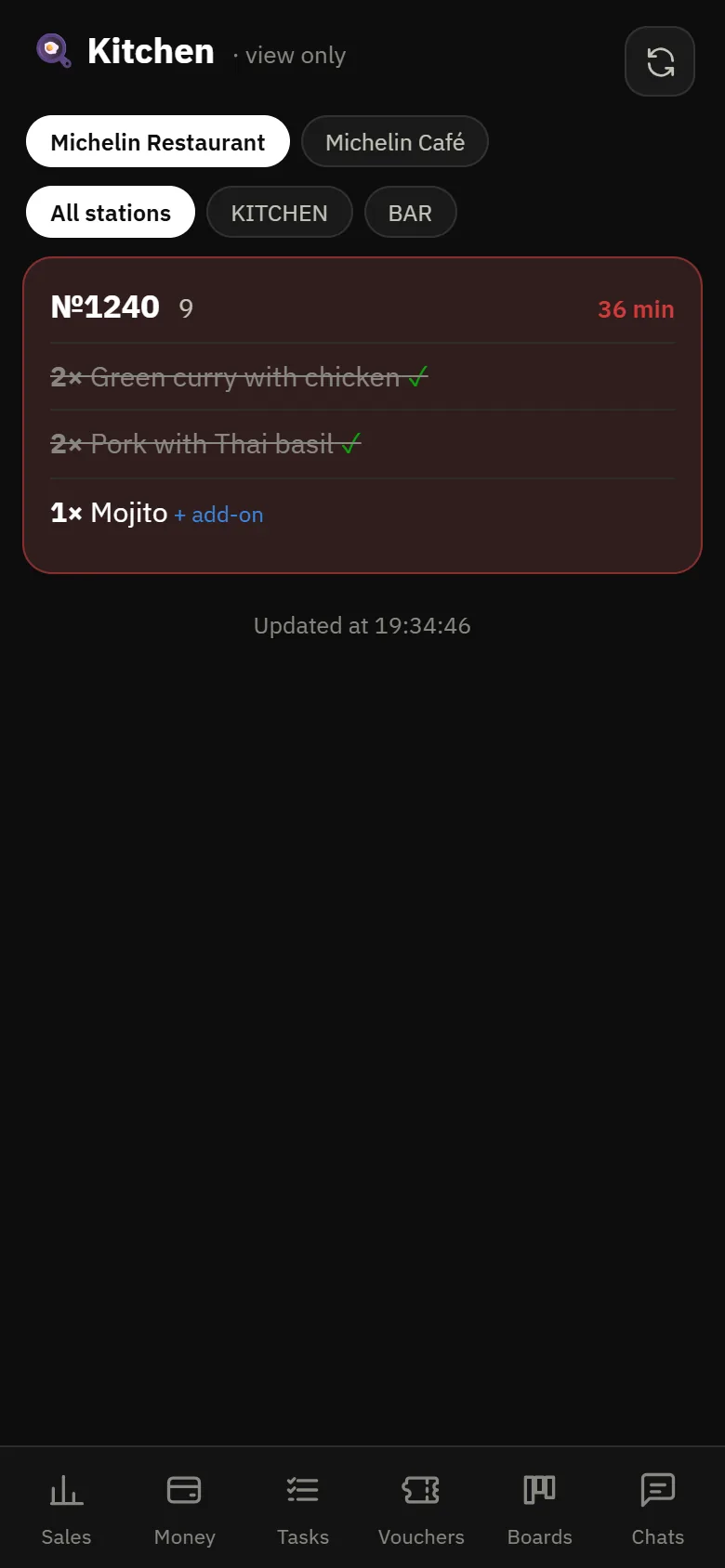
The same screen opens in the back office too — view only. The manager sees how busy the kitchen is without going in, and the owner sees it from POSik.
- Readiness is marked per item, not only for the whole order
- Items added to an order are marked separately
- The screen opens from a direct link: once switched on, the tablet shows the queue right away
- A signal lamp in the kitchen flashes when an order arrives and when it is sent to the kitchen
How the kitchen learns about an order
The kitchen learns about a new order in three ways — if one fails, the others remain.
Tablet or TV
The screen opens from its own link and is added as an icon on the tablet. A TV is connected by casting from the tablet or directly — easier to read from three metres.
Learn more →Signal lamp
A short pulse when an order arrives and when it goes to the kitchen. An ordinary smart relay and a beacon lamp — no proprietary hardware needed.
Learn more →Paper ticket
The ticket prints independently of the screen, so the kitchen keeps working even if the tablet freezes or runs out of battery.
Learn more →Questions about the kitchen display
Do I need a separate tablet?
Yes, the kitchen gets its own tablet or monitor. An inexpensive Android tablet will do: the screen opens from a link and then runs on its own.
What happens if the tablet switches off?
Nothing critical: paper tickets print independently of the screen. The kitchen carries on from paper, and the screen comes back with the tablet.
Is it included in the main subscription?
The kitchen display is a separate module, switched on if you want it. The register, shifts, receipts and printing work without it.
See the kitchen display in the demo
In the demo the kitchen display shows today’s restaurant and cafe orders. No separate tablet needed.